Overview
Hunea ships with a slash menu. With an empty input, type / and the menu appears:
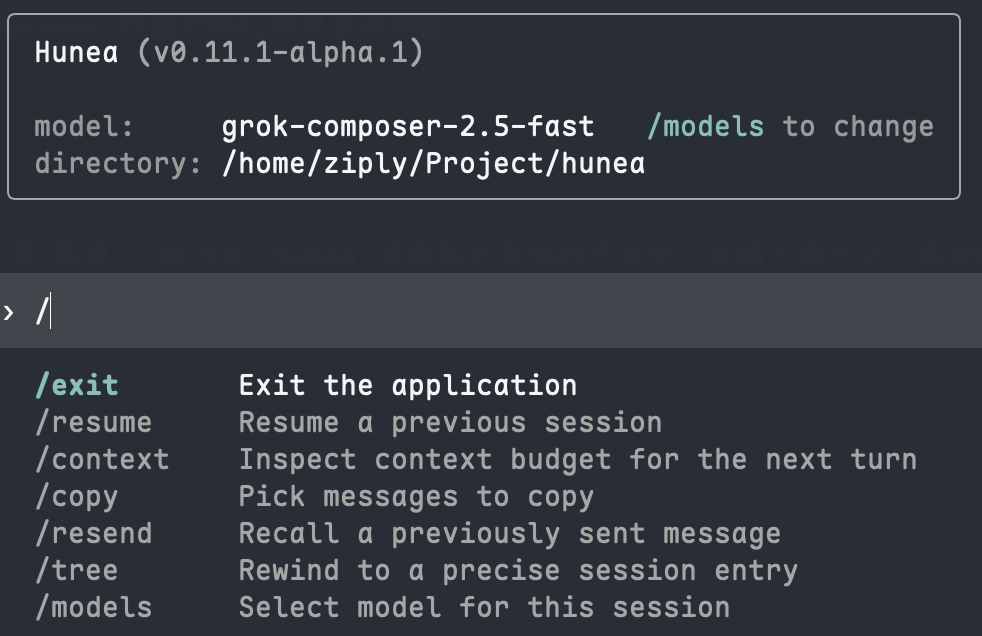
Note: the inline
/slash menu today only opens when the input is empty. Typing/mid-draft does not open this menu. That may improve later.
Use the up/down arrow keys, or keep typing to filter, then press Enter on the selected item.
Two ways to open the menu
Since 0.12.1-alpha.2, how the command menu is triggered can be configured via command_menu_mode under [tui], with three options:
/inline menu: the default described above, triggered only when the composer is empty and starts with/.Ctrl+Ofloating menu: independent of whether the input is empty; invoke it any time withCtrl+O. The floating menu scrolls up and down, and shows a scrollbar on the right when there are more commands than fit; the visible row count is controlled bycommand_menu_rows(range7..21, default7). Handy if you want to type/as a literal character, or prefer invoking commands with a fixed shortcut.
How to interact with the Ctrl+O floating menu
Beyond the keyboard, the floating menu also supports mouse click and scroll:
- Keyboard:
↑/↓moves the selection up and down (the list auto-scrolls to follow when it overflows the visible area), keep typing to filter/match,Entertriggers the selected command, andEsccloses the menu. - Mouse click: click a command row directly to select and trigger it, without first moving there with the arrow keys.
- Mouse wheel: when there are more commands than the
command_menu_rowslimit, scroll the wheel over the popup to page up and down; the scrollbar on the right reflects your current position.
The Ctrl+O floating menu looks like this:
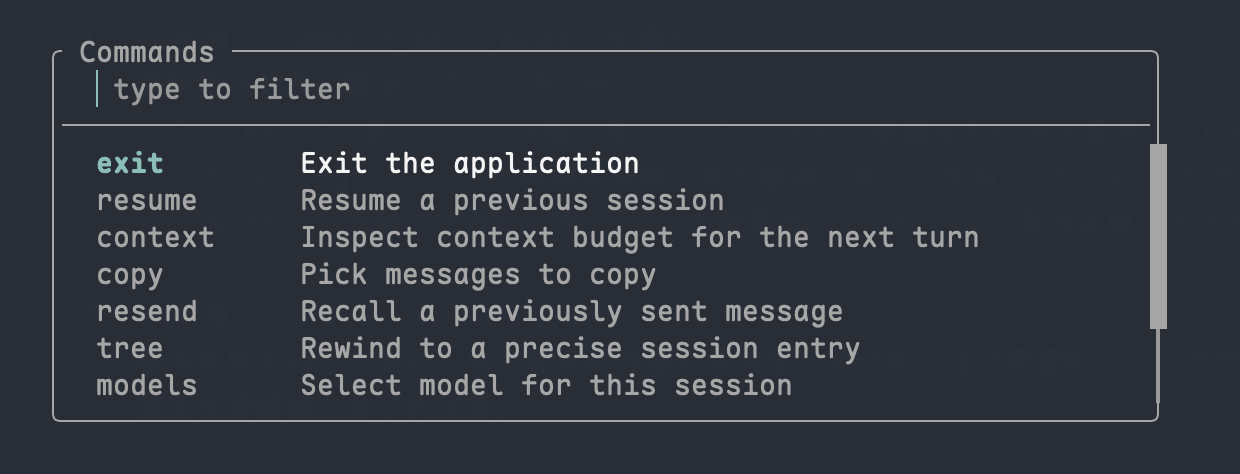
Both menus share the same items, filtering, and selection behavior; only the trigger differs. For configuration and value ranges see config.toml · command_menu_mode, and for key bindings see Keyboard Shortcuts.
Built-in commands (click a Command cell to open its page):
Notes
/treevs/sends-back: they never appear in the menu at the same time. By default, double-Escis node-level precise rewind and the menu shows/tree. If you set Esc rewind to entry-level mode (esc_rewind_mode = "entry"under[tui]), the menu shows/sends-backinstead. In short:/sends-backis about editing/resending a particular user turn;/treerewinds more precisely on session nodes while keeping existing content — more like opening a branch. They are split so each matches a clearer job, instead of one overloaded command./tool-debug: only appears when debug commands are enabled. It previews the tool-approval panel and is not a normal user command, so it stays out of the table. It may be removed or finished later.- Aliases: completion maps
/quit→/exitand/new→/clear. That exists mainly for people moving over from other CLIs — these two names are common enough that switching tools always tripped me up, so Hunea aliases them. Custom aliases, or even “macros” that chain actions, may come later as more of an extension story.