Why altscreen
Hunea’s main UI runs in the terminal’s alternate screen (often called altscreen / the alternate screen buffer).
In short: once altscreen is entered, the app — Hunea — gets an independent full-screen canvas. Frame refreshes, full-screen panels, overlays, and the status line can all paint to their own layout. Leaving altscreen on exit hands the terminal back to the primary screen. The main shell session is not polluted by intermediate TUI frames, clears, or partial redraws, and the exit path stays clean.
- Full-screen modal layers need a controllable surface
Interfaces like/tree,/copy,/prompt, and the session resume list are not small bottom popovers — they take over the whole screen for lists, previews, and paging. Altscreen lets those layers fill the terminal instead of fighting the shell’s scrollback history. - The input can grow and scroll with the document, instead of sitting fixed at the bottom
The main view lays out transcript and composer as one scrollable document. The composer can grow without bound and never opens a second scroll region inside the input box. That layout is hard to keep clean under a primary-screen + fixed bottom-bar model; in altscreen it can be recomputed every frame. - “Review after exit” can be an explicit choice
The cost of altscreen is that while a session is running, the terminal emulator’s own scrollback usually does not show internal TUI frames. Hunea does not treat “history must pile into the terminal scrollback” as the default. Instead it offers optional exit replay: withprint_transcript_on_exit = true, leaving the app prints the current conversation back into primary-screen scrollback as a terminal replay. Default is off, because many people just end a session and do not want a full transcript dumped into the shell.
I did consider a Codex CLI–style bottom redraw that pushes content into the emulator’s native scrollback. The upsides are real:
- Mouse selection and copy are native terminal features — natural and familiar
- Scrolling is smooth; the emulator already handles inertia and related polish
- …and whatever else I am forgetting right now
I still did not go that way, for simple reasons:
- Too much implementation work
- Incomplete handling produces a long tail of weird bugs
- Unexpected issues show up anyway
Even mature tools like Claude Code offer an altscreen switch. Coincidentally, I hit a problem in Claude Code not long ago:
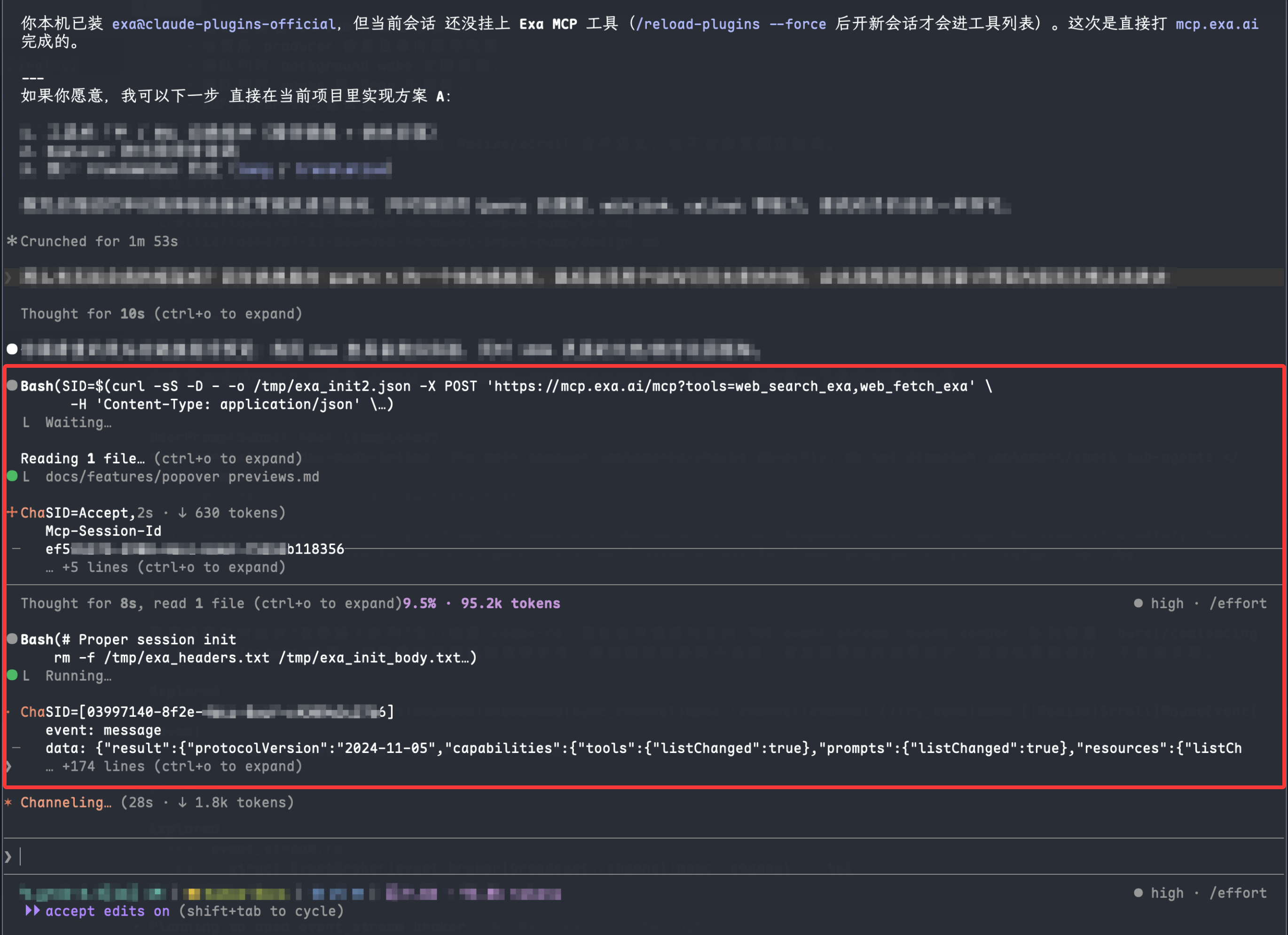
That was Claude Code 2.1.21x — recent enough — and the issue still appeared. Codex CLI is better, but not immune. In some emulators I have also seen scrollback content loss: after content is pushed into scrollback, middle sections of a long dump sometimes disappear, likely from emulator or compatibility edge cases.
Codex CLI did add a feature a few months ago (I forget the name — and I no longer see it in my own v0.144.1 build) that could rebuild content after a terminal resize. That is a partial workaround: resize the window and hope the display heals.
So I stuck with altscreen, then optimized toward the feel of bottom-redraw where I could. Performance is decent today and will keep improving.